Build reusable .psm1 modules and advanced functions
Implement professional Try/Catch logic and custom logging.
Manage credentials and execution policies safely.
Trusted by a Global Community of 100,000+ Students
Professional feedback from IT experts who have mastered automation with Vijay Pooja
The tool making modules saved me hours of manual work every single week. Highly recommended for DevOps admins.
Cloud Engineer | London, UK
The secure scripting and credential management modules are a game-changer. I was able to refactor our entire automation library to meet enterprise security standards in one weekend.
Senior DevOps Engineer | Seattle, WA
Vijay has a way of explaining advanced parameters and pipeline support that actually makes sense.
Systems Administrator | Austin, TX
Finally, a course that teaches the 'Tool-Making' philosophy. Learning to build modular .psm1 files has made our team's deployment process significantly more reliable and reusable.
IT Operations Lead | Bangalore, India
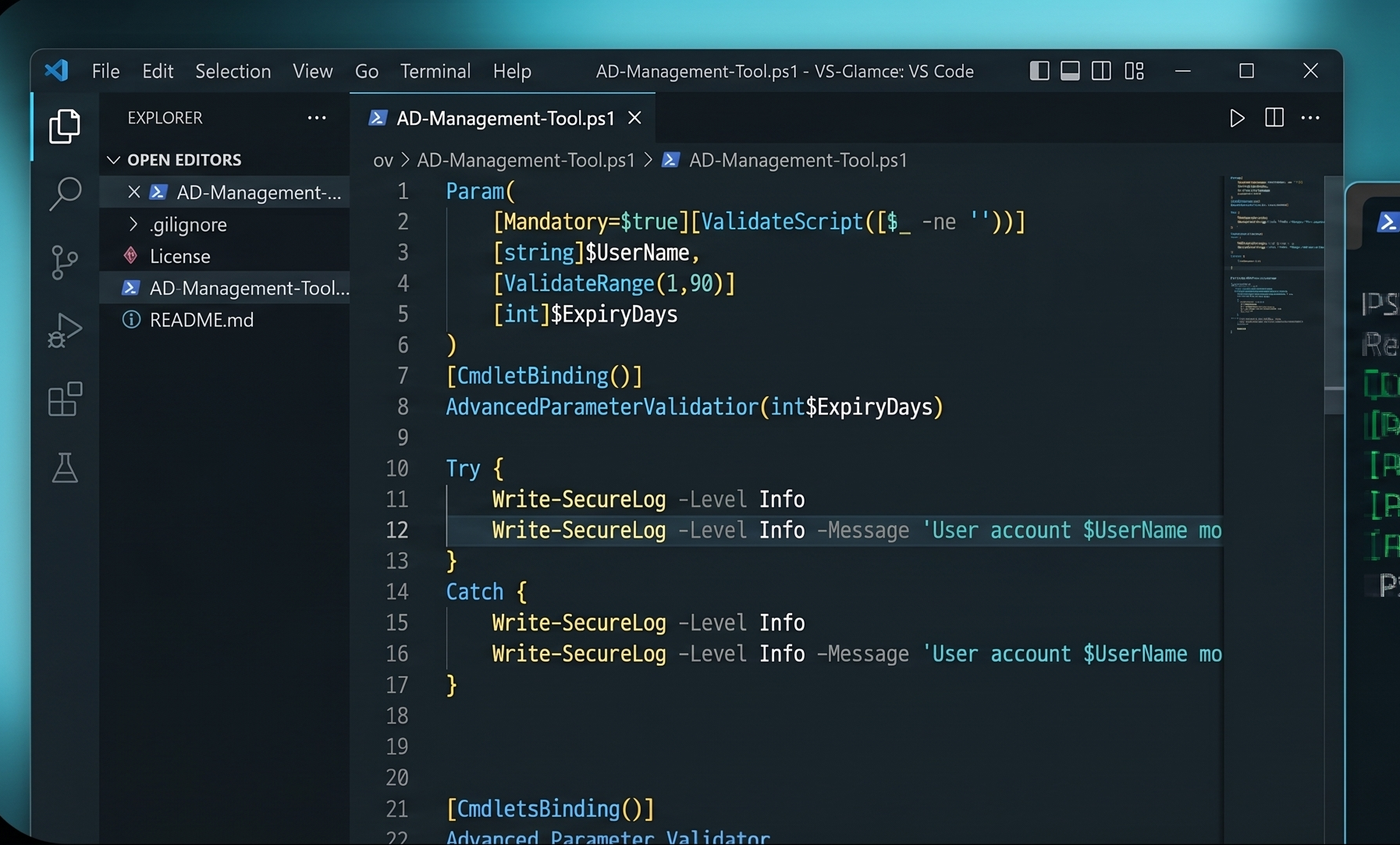
Hands-On Lab: The Active Directory Tool Project
We don't just write commands; we build software. You will spend this weekend developing a full-featured Active Directory Management Tool with parameter validation and secure logging.
Course Curriculum
-
1
Strengthening the PowerShell Basics
- Introduction to PowerShell & Its Importance Free preview
-
(Included in full purchase)
Installing PowerShell
-
(Included in full purchase)
Frequently Asked Questions
-
(Included in full purchase)
ISE & PowerShell Console - A Quick Walk Through
-
(Included in full purchase)
Lab2 Create a Virtual Machine in a public cloud
-
(Included in full purchase)
Execution Policy
-
(Included in full purchase)
Check your knowledge
-
(Included in full purchase)
PowerShell Security Features
-
(Included in full purchase)
Get-Help & Get-Command
-
(Included in full purchase)
Lab - Important command demonstration
-
(Included in full purchase)
Section1 Refresher
-
2
Programming Building Blocks
-
(Included in full purchase)
Programming Variables
-
(Included in full purchase)
Data Type & Typecasting
-
(Included in full purchase)
Read, Validate & Write
-
(Included in full purchase)
Comparison Operators
-
(Included in full purchase)
If Else Loop & Switch
-
(Included in full purchase)
Check your Knowledge
-
(Included in full purchase)
PowerShell Collection
-
(Included in full purchase)
Iterations
-
(Included in full purchase)
PowerShell Methods
-
(Included in full purchase)
Error Handling
-
(Included in full purchase)
Section2 Refresher Part1
-
(Included in full purchase)
Section Refresher Part2
-
(Included in full purchase)
-
3
A Quick warp up of absolute basics of Windows Server
-
(Included in full purchase)
Basics of Windows Server
-
(Included in full purchase)
What is a Windows Process
-
(Included in full purchase)
What is a Windows Service
-
(Included in full purchase)
Get-Process
-
(Included in full purchase)
Get-Service
-
(Included in full purchase)
What is Windows Task Scheduler
-
(Included in full purchase)
Check Your Knowledge
-
(Included in full purchase)
-
4
Advanced File Handling
-
(Included in full purchase)
Text File Handling
-
(Included in full purchase)
CSV File Handling
-
(Included in full purchase)
XML & JSON File Handling
-
(Included in full purchase)
-
5
Objects Based PowerShell
-
(Included in full purchase)
What is an Object
-
(Included in full purchase)
Views & Pipeline
-
(Included in full purchase)
Working With Objects
-
(Included in full purchase)
Formatting & Converting
-
(Included in full purchase)
Display output as GridView
-
(Included in full purchase)
Class & Method
-
(Included in full purchase)
Save & Recreate Objects for Offline Analysis
-
(Included in full purchase)
Check Your Knowledge
-
(Included in full purchase)
-
6
PowerShell to Install Software on Multiple Remote Computers
-
(Included in full purchase)
Software installations with PowerShell -Part 1
-
(Included in full purchase)
Software installations with PowerShell -Part 2
-
(Included in full purchase)
-
7
Deep Dive Into PowerShell Concepts
-
(Included in full purchase)
Sending Email
-
(Included in full purchase)
Automation of daily Reports
-
(Included in full purchase)
Securing our System - Script Signing
-
(Included in full purchase)
ISE Snippet
-
(Included in full purchase)
Web Scrapping
-
(Included in full purchase)
Invoke-Expression and Executing Web content as a script
-
(Included in full purchase)
Check Your Knowledge
-
(Included in full purchase)
-
8
PowerShell-Database Interaction and CRUD operations
-
(Included in full purchase)
Database Basics: A quick Wrap up
-
(Included in full purchase)
Connecting PowerShell with a Database
-
(Included in full purchase)
PowerShell to Update/Insert/Delete data
-
(Included in full purchase)
Reading from Database Table
-
(Included in full purchase)
Automation Daily Reports using PowerShell-Database Interaction
-
(Included in full purchase)
Check Your Knowledge
-
(Included in full purchase)
-
9
Windows Management Instrumentation
-
(Included in full purchase)
Introduction to Windows Management Instrumentation(WMI)
-
(Included in full purchase)
Working with WMI
-
(Included in full purchase)
Mastering WMI and Available tools
-
(Included in full purchase)
Automation to solve a real world problem
-
(Included in full purchase)
Check Your Knowledge
-
(Included in full purchase)
-
10
Event Viewer and Task Scheduler
-
(Included in full purchase)
What is event Viewer and How to use it
-
(Included in full purchase)
Access Event Viewer Logs Using PowerShell
-
(Included in full purchase)
Write into Event Viewer Logs
-
(Included in full purchase)
-
11
Advanced Functions & Modules
-
(Included in full purchase)
Introduction to Advanced Functions
-
(Included in full purchase)
Understanding the structure of Advanced Functions
-
(Included in full purchase)
Automation- Monitoring Multiple Websites
-
(Included in full purchase)
Check Your Knowledge
-
(Included in full purchase)
-
12
Building Graphical User Interfaces using PowerShell
-
(Included in full purchase)
Introduction to GUIs
-
(Included in full purchase)
Building GUI for Automation
-
(Included in full purchase)
Lecture
-
(Included in full purchase)
PowerShell GUI development using Visual Studio
-
(Included in full purchase)
-
13
What is next?
-
(Included in full purchase)
Bonus Lecture
-
(Included in full purchase)
Ready to Automate Your Future?
Stop running one-liners and start building automation that scales with your career.
$72.93